Deployment Overview
This document outlines the application deployment options available within the Craftapp Studio.
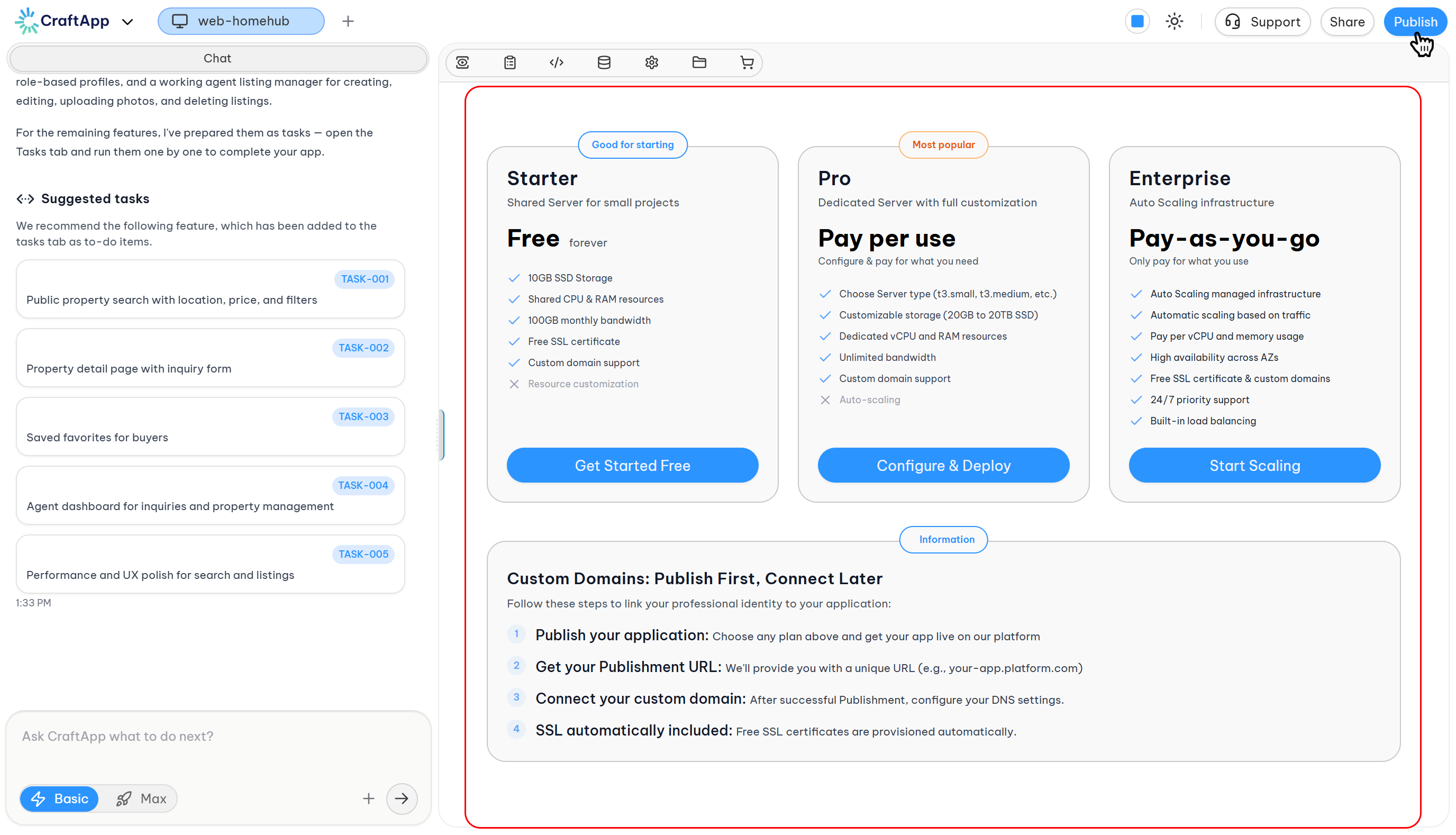
The Deployment section in Craftapp Studio facilitates the process of launching an application to live infrastructure. The platform provides three distinct infrastructure options designed to accommodate varying project scales and traffic requirements.
Deployment Process
Deployment in Craftapp follows a structured flow:
- Select a deployment plan.
- Configure resources (required for some plans).
- Select a deployment region.
- Review the pricing summary.
- Confirm and deploy or subscribe.
All configurations are reversible before the final confirmation step.
Deployment Plans
Craftapp offers three deployment plans, each targeting different use cases and infrastructure requirements.
1. Starter
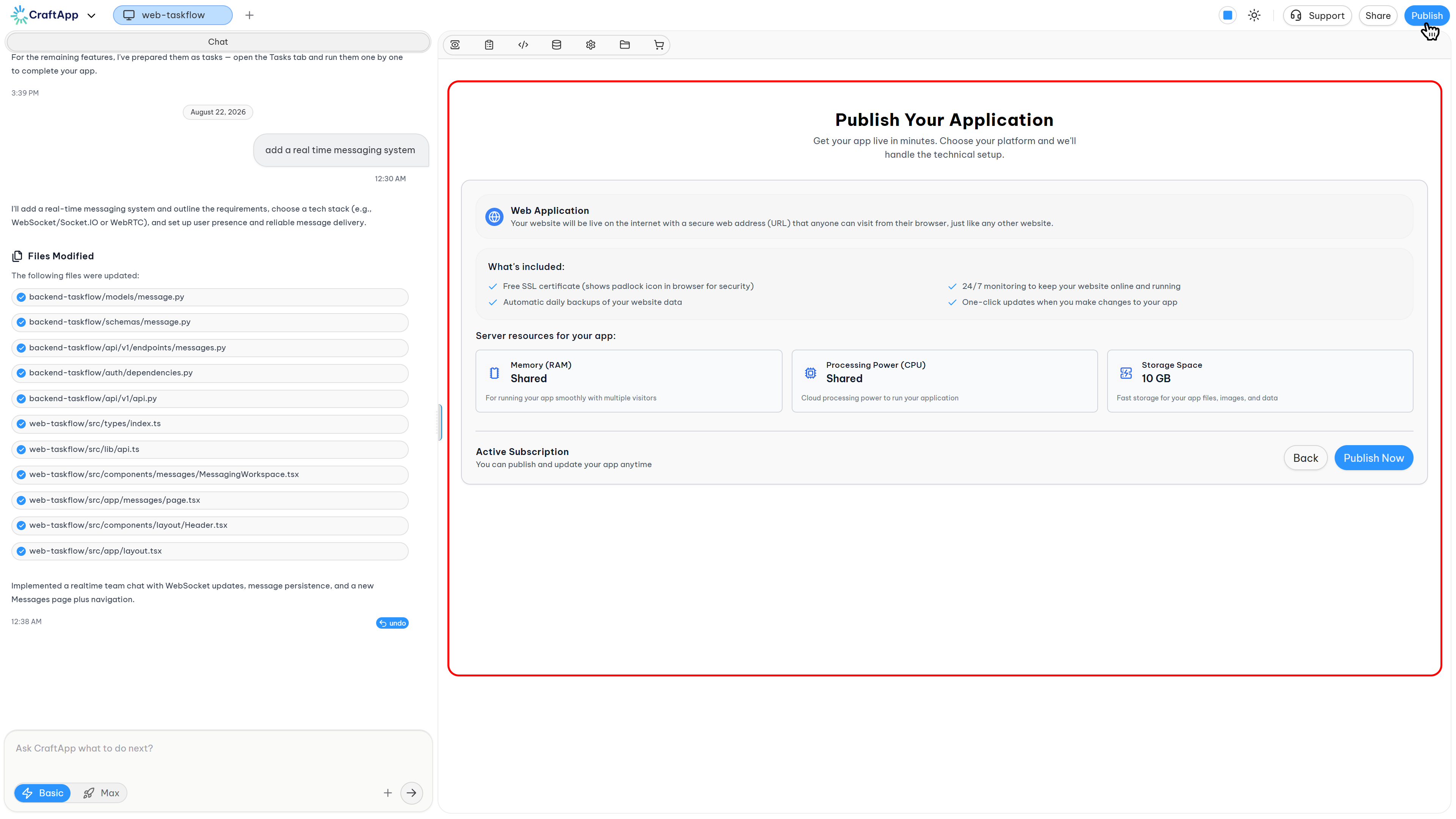
The Starter plan uses a shared server infrastructure. It is available for free and is suitable for small projects, testing environments, and applications with low traffic.
Key Characteristics:
- Shared compute hosting.
- Fixed resource allocation.
- Free SSL certificate.
- Custom domain support.
- 99.5% uptime SLA.
Included Resources:
- 1 GB RAM on a shared compute instance.
- 10 GB SSD Storage.
- Shared vCPU resources.
- 100 GB monthly bandwidth.
Pricing: Free.
2. Pro
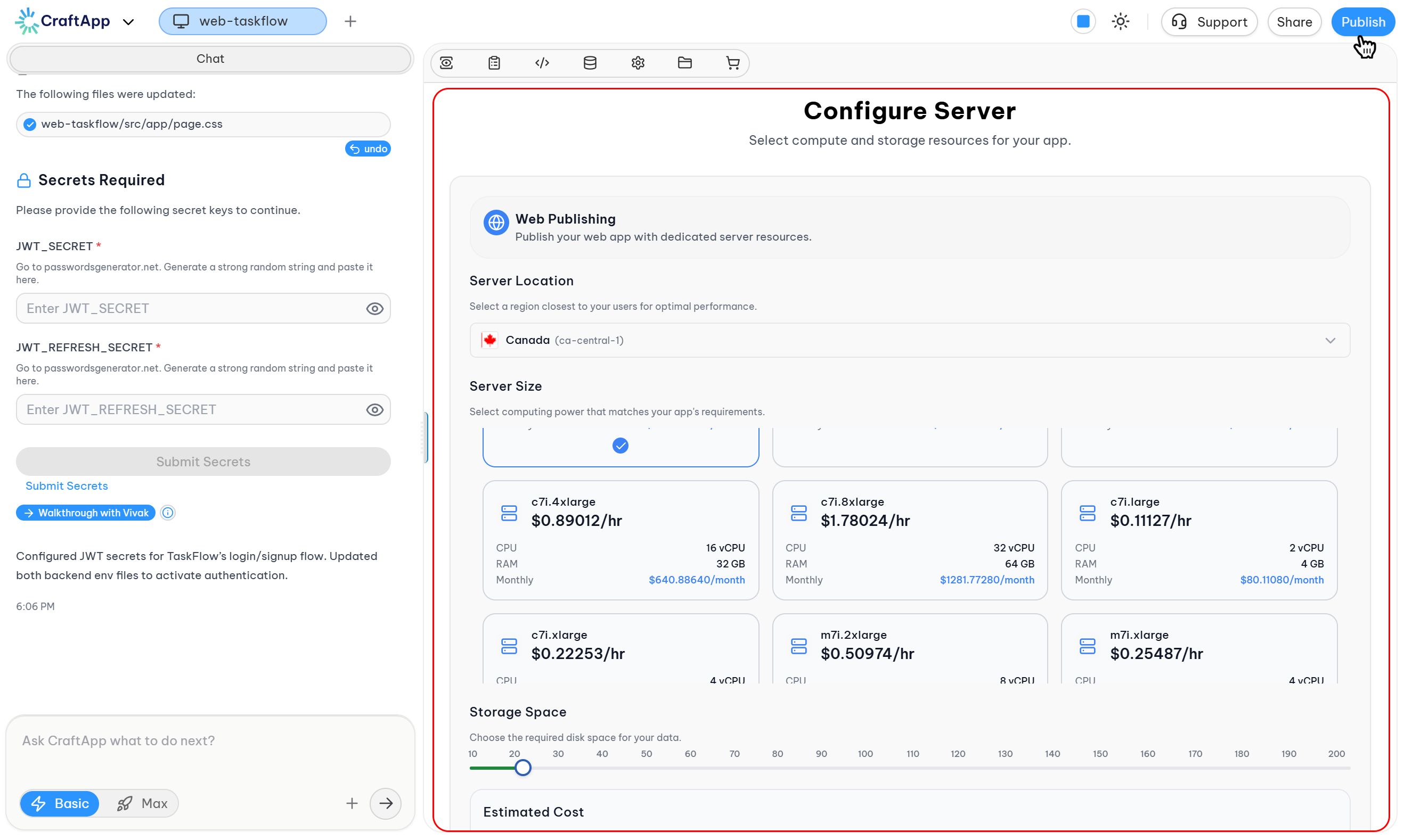
The Pro plan provides dedicated server infrastructure that is fully customizable. It is designed for production applications, growing SaaS products, and custom workloads.
Key Characteristics:
- Dedicated compute instances.
- Customizable resources (instance type, storage).
- Custom domains.
- Free SSL certificate.
- Dedicated vCPU and RAM resources.
- Unlimited bandwidth.
Configuration Options:
- Compute instance type (e.g.,
t3.small,t3.medium). - SSD Storage size (8 GB to 100 GB).
Pricing: Pay-per-use based on configured resources.
3. Enterprise
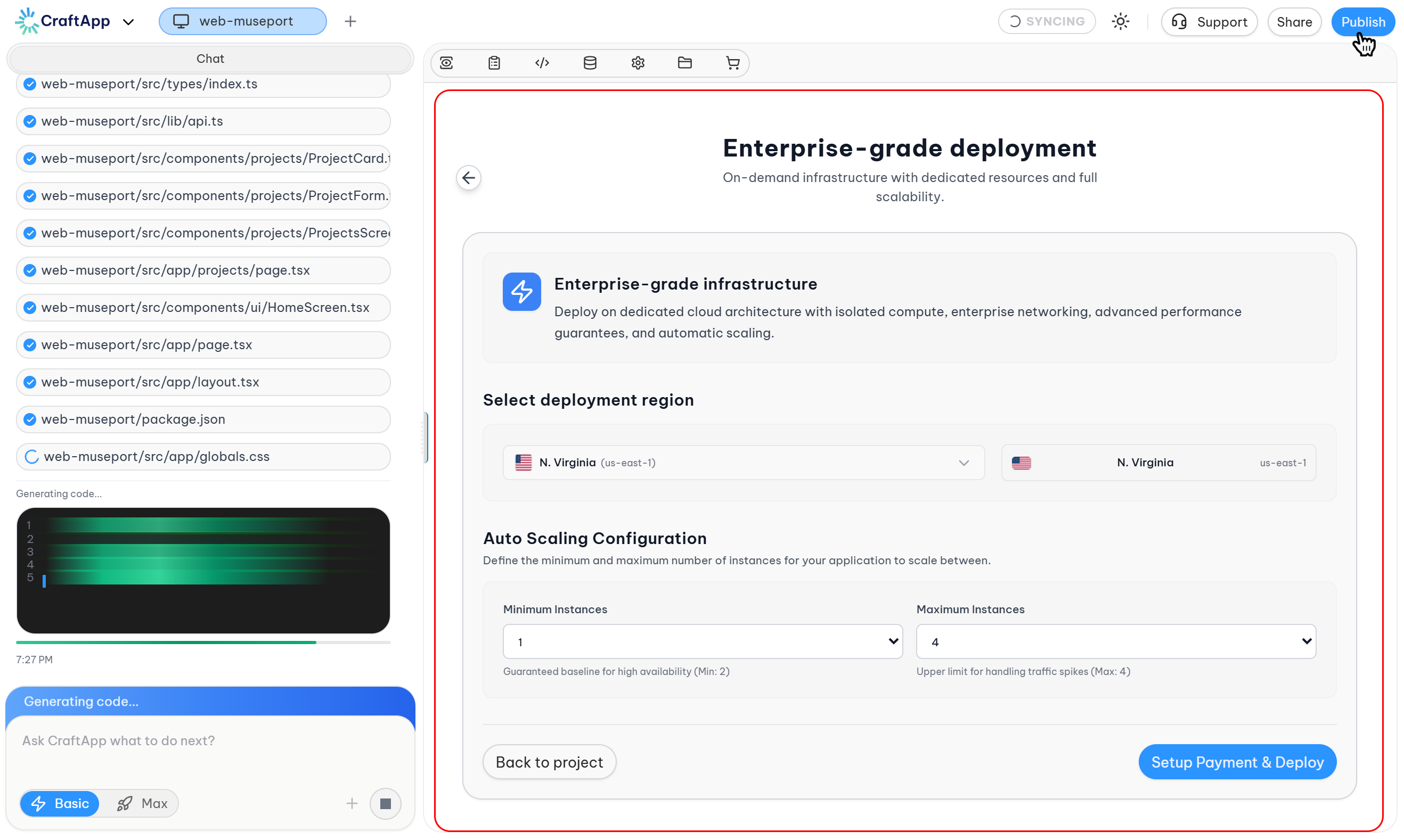
The Enterprise plan is built on an auto-scaling infrastructure. It is intended for high-traffic, enterprise-grade applications that require dynamic resource scaling based on demand.
Key Characteristics:
- Auto-scaling infrastructure.
- Dynamic resource allocation.
- Custom domains.
- Free SSL certificate.
Pricing: Pay-as-you-go based on resource consumption.
Custom Domains
The process for connecting a custom domain is as follows:
- Deploy the application using any of the available plans.
- Obtain the deployment URL provided by the platform (e.g.,
your-app.platform.com). - Configure DNS settings to point a custom domain to the provided URL after successful deployment.
- SSL Certificate Provisioning is automatic for all connected custom domains.
Note
The application must be deployed and running before a custom domain can be connected. This ensures proper SSL provisioning and prevents downtime during the domain switch.
Region Selection
A deployment region can be selected to achieve the following:
- Reduce latency for a specific user base.
- Comply with data residency regulations.
- Optimize overall user experience.
If no region is available for selection, the interface will indicate this and prevent deployment.
Pricing Summary
Craftapp displays a pricing summary before deployment confirmation. The summary is based on the selected plan and its configuration.
- Starter: Free.
- Pro: Based on selected compute and storage resources.
- Enterprise: Based on metered usage of auto-scaled resources.
Note
Charges are only incurred after explicit confirmation of deployment or subscription.
Deployment Confirmation
To deploy an application:
- Review the selected plan and resources.
- Review the pricing summary.
- Confirm the deployment action.
- Craftapp will provision the infrastructure based on the chosen plan.
The project can be accessed without deploying at any time.
Managing Deployments
Post-deployment, the following actions are available:
- Switch between deployment plans.
- Scale or modify resources (for applicable plans).
- Monitor application performance.
- Redeploy application updates.
- Delete the deployment.
Deployment management is centralized within the Craftapp Studio interface.
Plan Comparison
| Plan | Infrastructure | Use Case | Pricing Model |
|---|---|---|---|
| Starter | Shared Server | Prototypes, small sites, testing | Free |
| Pro | Dedicated Server | Production apps, growing workloads | Pay-per-use |
| Enterprise | Auto-scaling | High-traffic, enterprise systems | Pay-as-you-go |
Summary
The Deployment feature in Craftapp Studio abstracts infrastructure management by providing a structured process for launching applications across three distinct plans. Each plan offers a different infrastructure model to suit various application stages and traffic demands.