Pro Deployment Plan
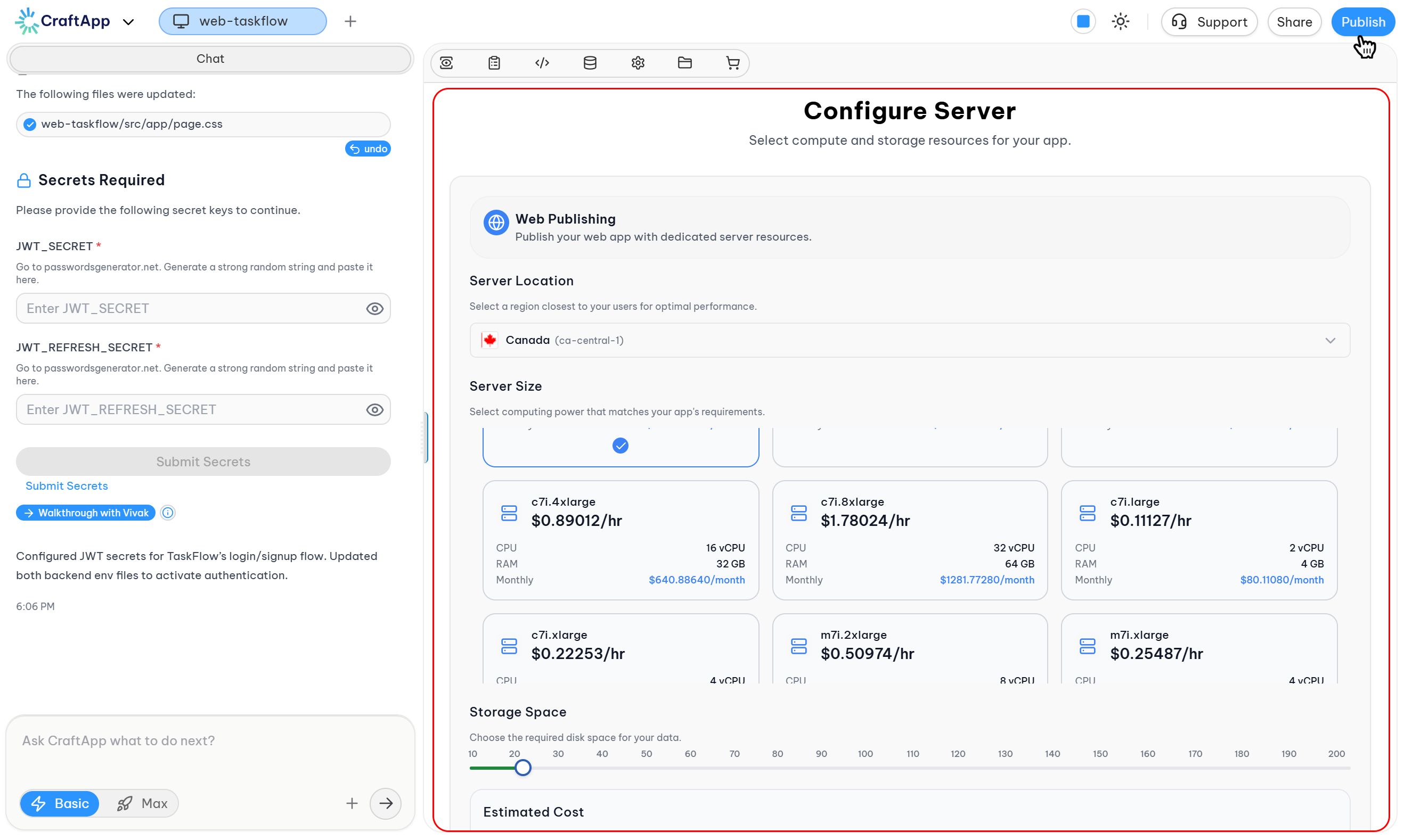
The Pro Plan is Craftapp's most popular deployment option. It provides dedicated server infrastructure with full customization capabilities.
This plan operates on a pay-per-use pricing model, allowing configuration of compute resources, storage, and deployment region based on application requirements.
Overview
The Pro Plan deploys applications on dedicated infrastructure with granular control over server resources.
Configuration is performed through the server configuration interface, which provides real-time cost calculations based on selected resources.
Intended Use Cases
- Production applications
- Growing SaaS products
- Custom workloads
- Applications requiring dedicated resources
- Projects with predictable scaling needs
- Web and mobile application deployments
Accessing Server Configuration
To configure and deploy a Pro Plan application:
- Open the project in Craftapp Studio.
- Click the Publish button in the top navigation bar.
- Review the three available deployment options.
- Select the Pro Plan by clicking Configure & Deploy.
This navigates to the server configuration page.
Server Configuration Interface
The configuration page provides the following sections:
1. Server Location
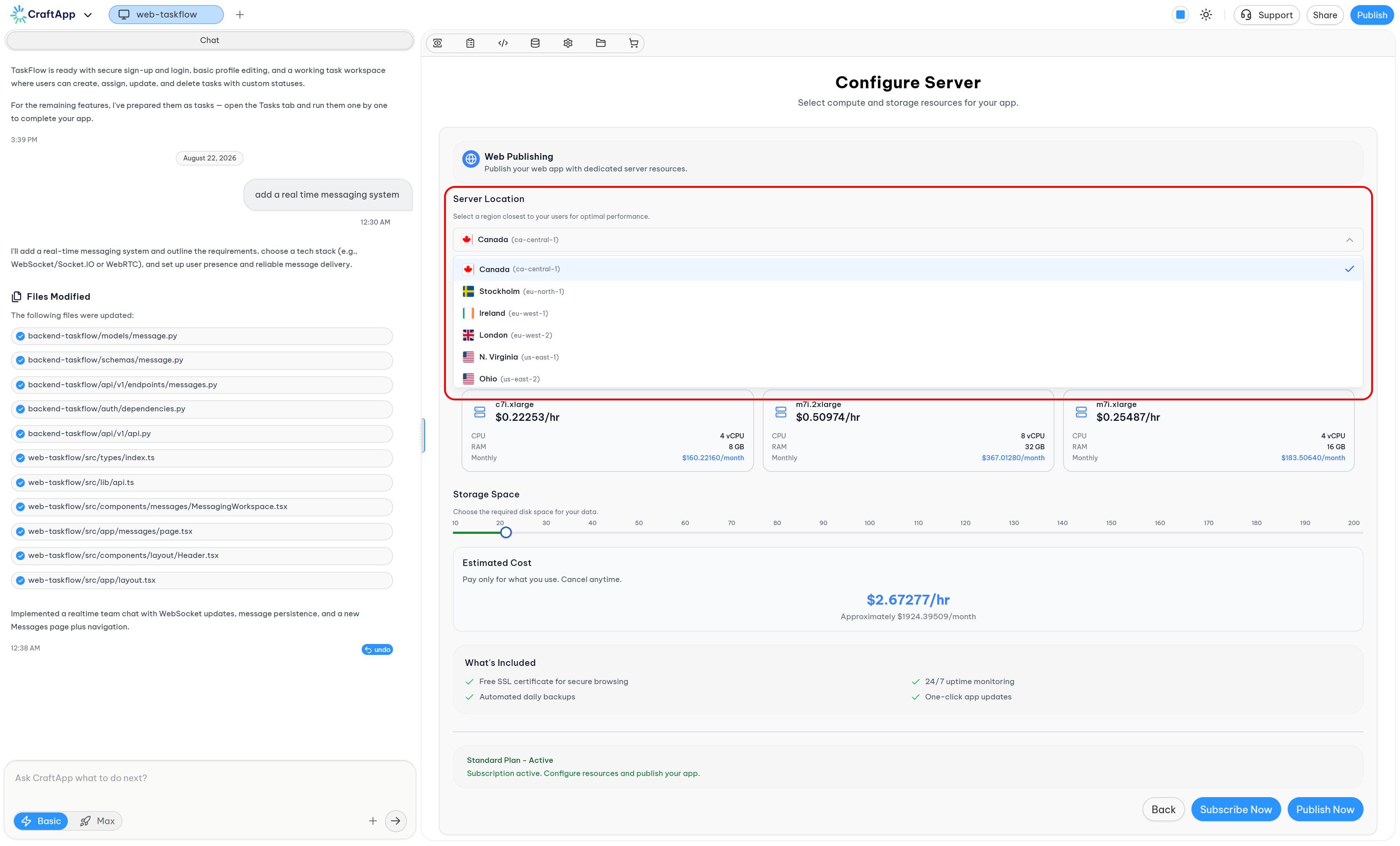
Section: Server Location
Available Regions:
- 8 locations across Europe and North America
Selection Guidance:
- Choose the region closest to your target user base
- Consider data residency requirements
- Region affects application latency
Tip
Select the region closest to your users to minimize latency and optimize performance.
2. Server Size
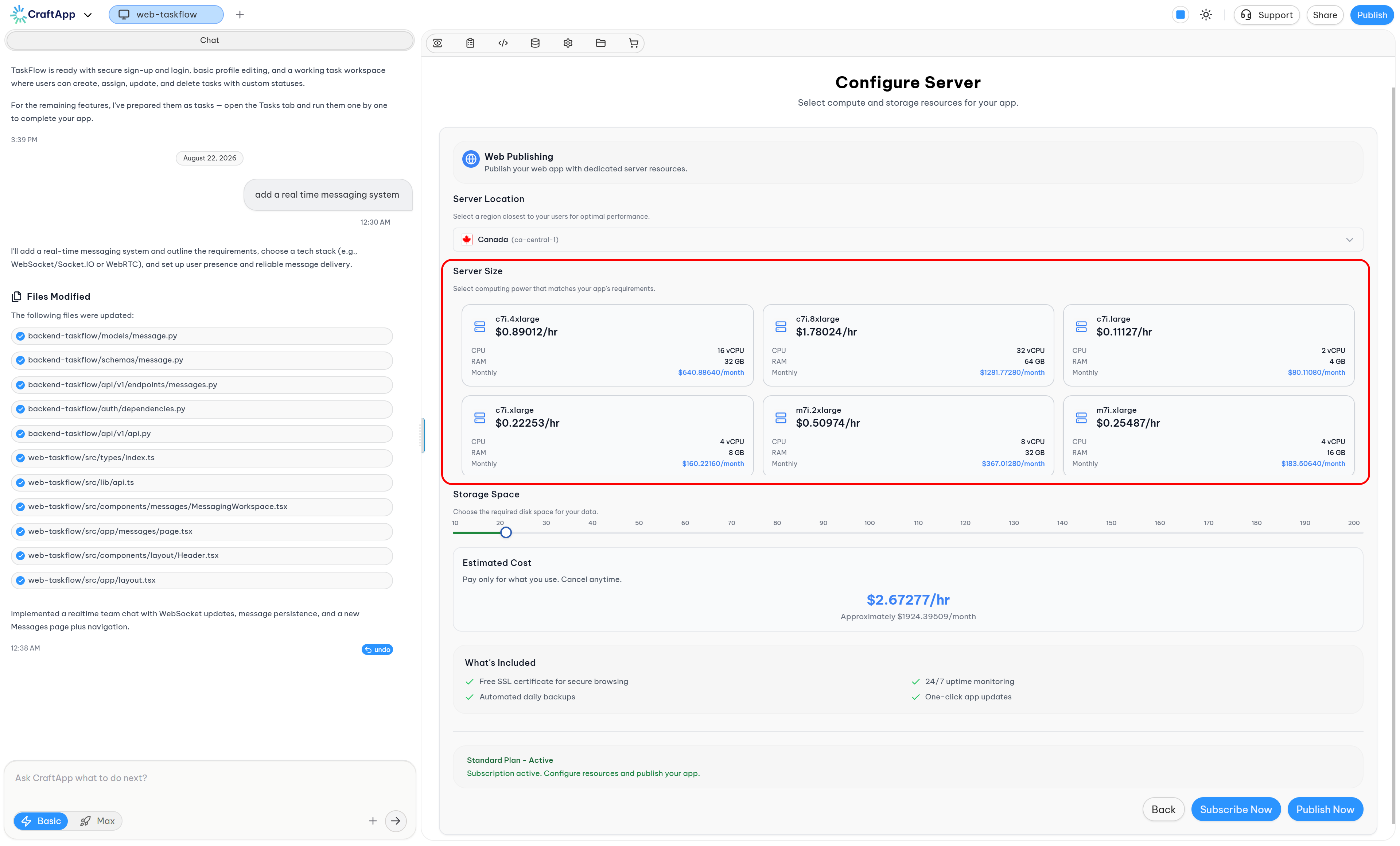
Section: Server Size
Each location provides a list of available server configurations displayed as selectable cards.
Server Identification:
- Server computation power is determined by CPU and RAM specifications.
Card Contents:
Each server card displays the following information:
| Field | Description |
|---|---|
| Server Name | Identifier for the instance type |
| Hourly Price | Cost per hour displayed under the server name |
| CPU | Central Processing Unit specifications |
| RAM | Random Access Memory specifications |
| Monthly Cost | Calculated monthly cost for the server |
Understanding CPU and RAM
CPU (Central Processing Unit):
- The CPU processes instructions and performs computational tasks.
- It determines how quickly operations and calculations execute.
- Relevant during code compilation, build processes, and request handling.
- Comparable to a worker performing assigned tasks.
RAM (Random Access Memory):
- RAM is temporary workspace for active programs and data.
- More RAM allows more programs to run simultaneously without performance degradation.
- Used by running processes, development tools, and backend servers.
- Comparable to a desk where a worker keeps current work items.
3. Server Storage
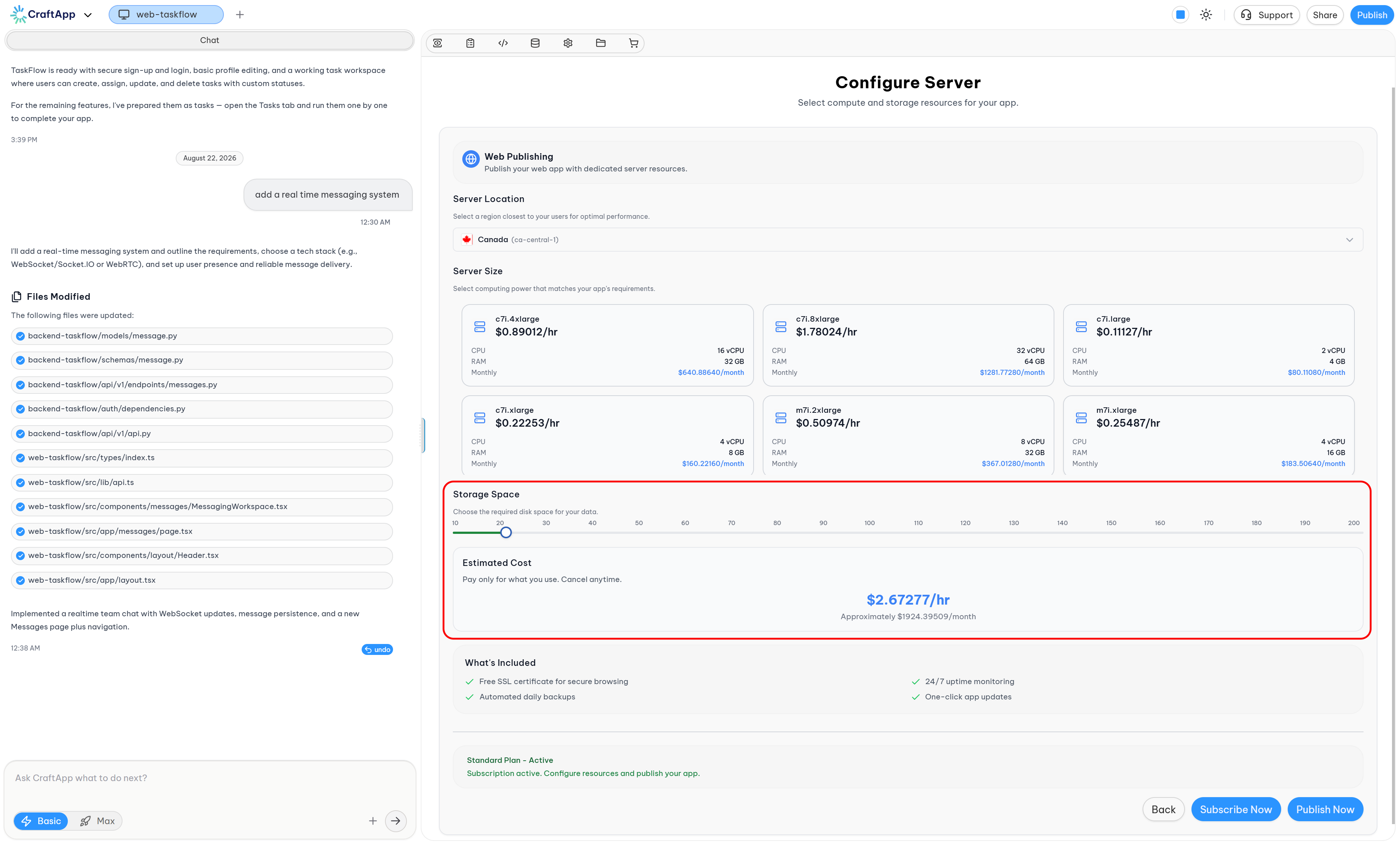
Section: Server Storage
Storage is required for project data and application files.
Supported Range:
- Minimum: 20 GB
- Maximum: 200 GB (via configuration interface)
- Extended storage: Up to 20 TB (requires contacting sales/support)
Storage Selection:
- A slider with breakpoints allows selection of storage capacity.
Extended Storage: For storage requirements exceeding 200 GB, contact the sales or support team to request an increase up to 20 TB.
4. App Store Publishing (Mobile Only)
Section: App Store Publishing
This section appears only for mobile application projects. It allows selection of distribution platforms for publishing the application.
Available Platforms:
| Platform | Store | Description |
|---|---|---|
| Android | Google Play Store | Publish directly to the Google Play Store |
| iOS | Apple App Store | Publish directly to the Apple App Store |
Selection Method:
- Platforms are selectable by clicking on the desired option
- Users can select one platform or both platforms simultaneously
Selection Options:
- Android Only: Publishes to Google Play Store
- iOS Only: Publishes to Apple App Store
- Both Platforms: Publishes to both Google Play Store and Apple App Store
5. Final Monthly Estimated Cost
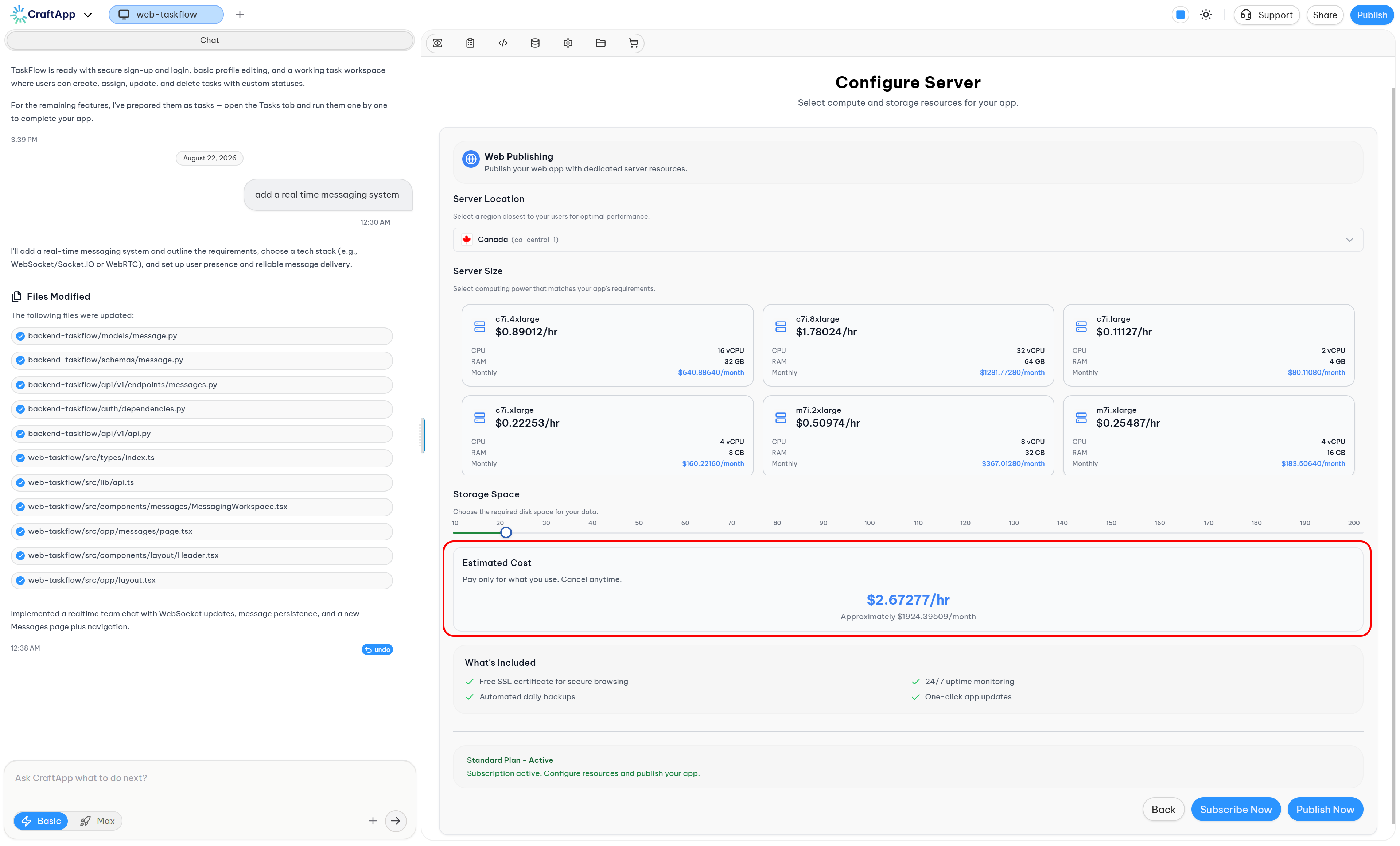
Section: Final Monthly Estimated Cost
Displays the total estimated monthly cost based on:
- Selected server size
- Configured storage capacity
- Selected distribution platforms (for mobile apps)
This section updates in real-time as configuration changes. estimated_cost
6. What's Included
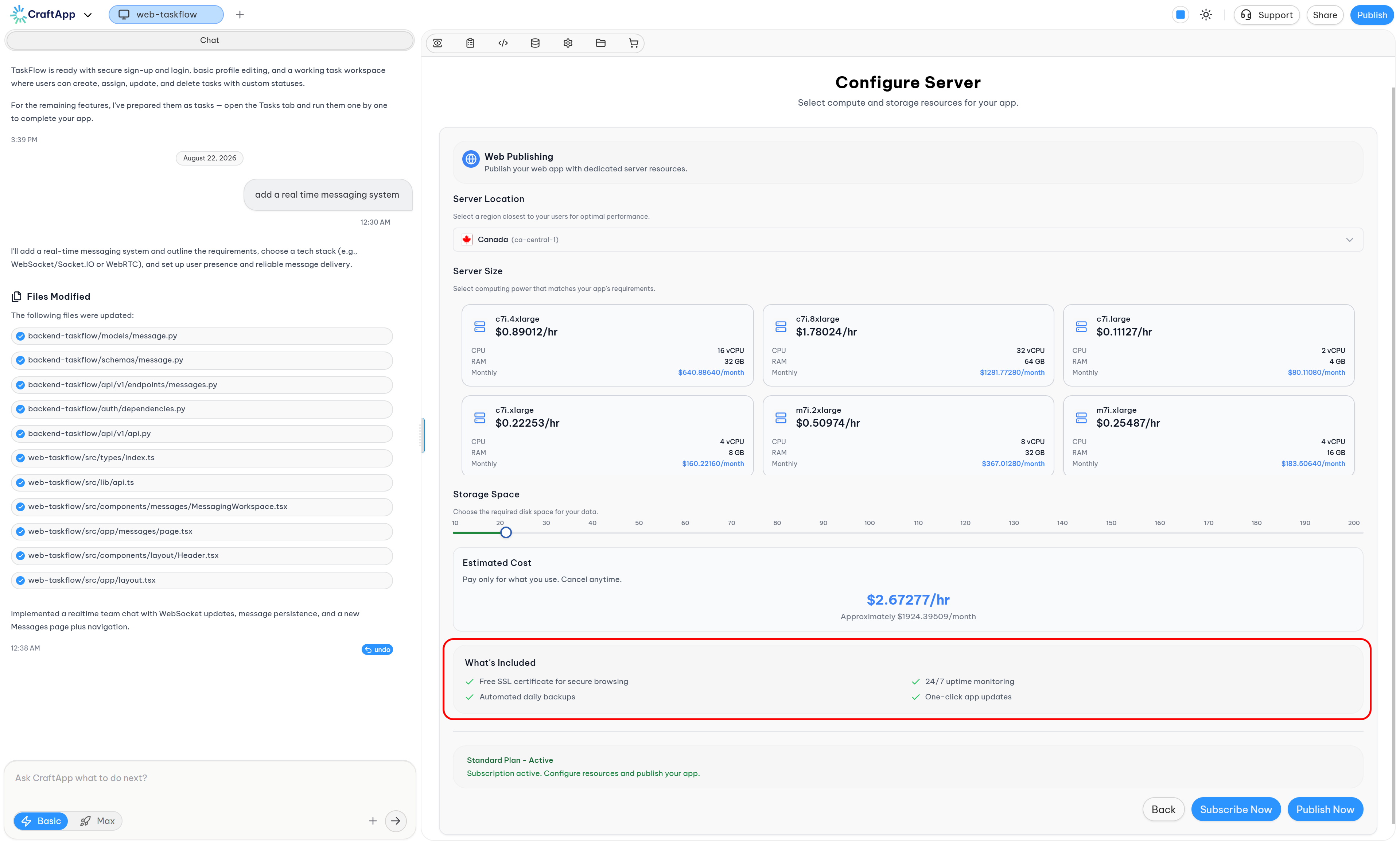
Section: What's Included
Provides technical information about the deployment, including:
- Infrastructure details
- Included services
- Technical specifications
- Platform-specific features (for mobile deployments)
This section is primarily relevant for technical users.
7. Action Buttons
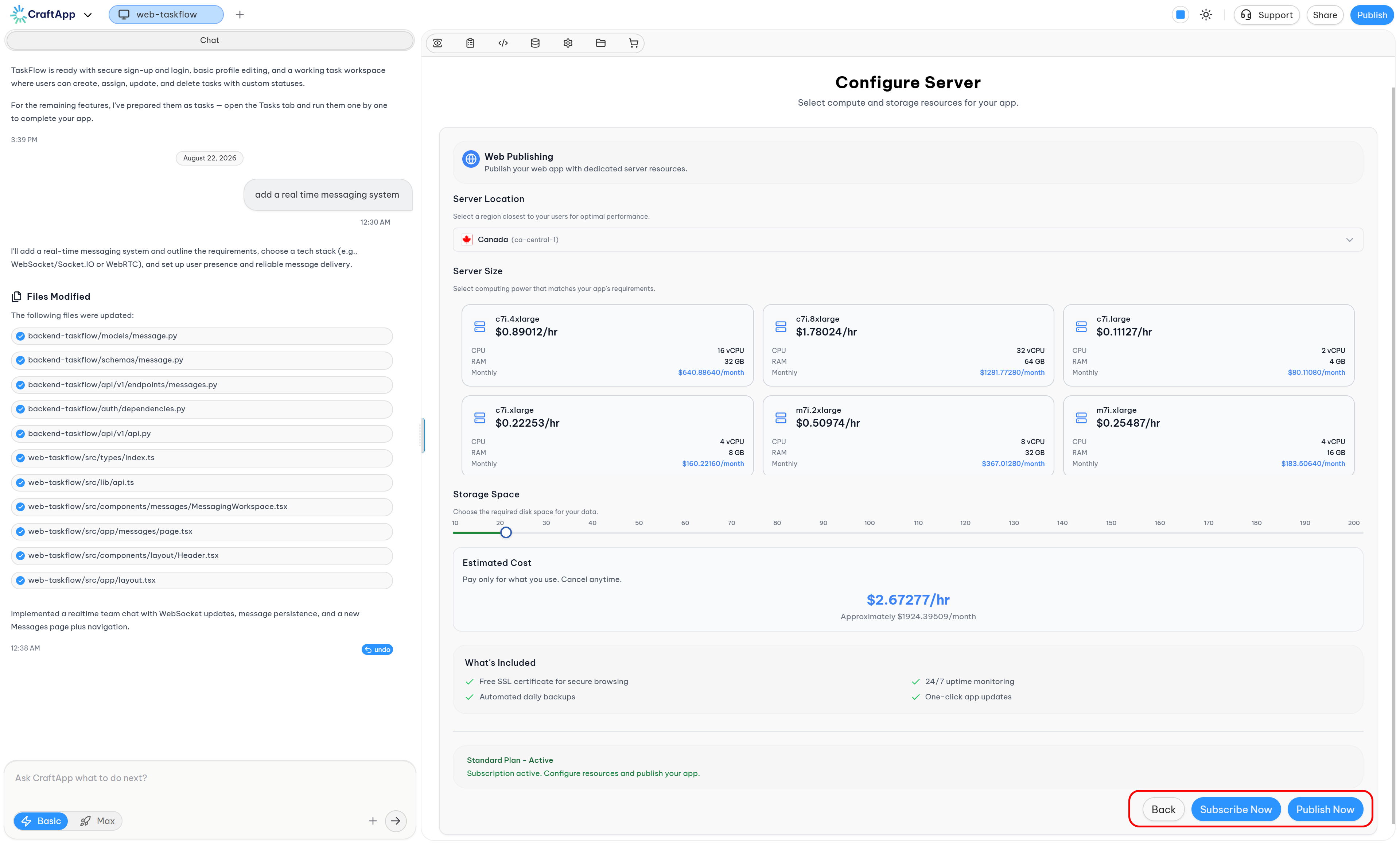
At the bottom of the configuration page, the following buttons are available:
| Button | Function |
|---|---|
| Back | Returns to the main deployment options page |
| Subscribe Now | Redirects to subscription management for activating a Pro subscription |
| Publish Now | Confirms configuration and initiates deployment |
Subscription Requirement
The Pro Plan requires an active subscription.
Subscription Information:
- Review available subscription plans at Craftapp Pricing
- Plans are periodically updated to align with user needs
- Additional usage allowances may be added to existing plans without price changes
Note
Ensure an active subscription is in place before attempting to publish with the Pro Plan.
Deployment Process
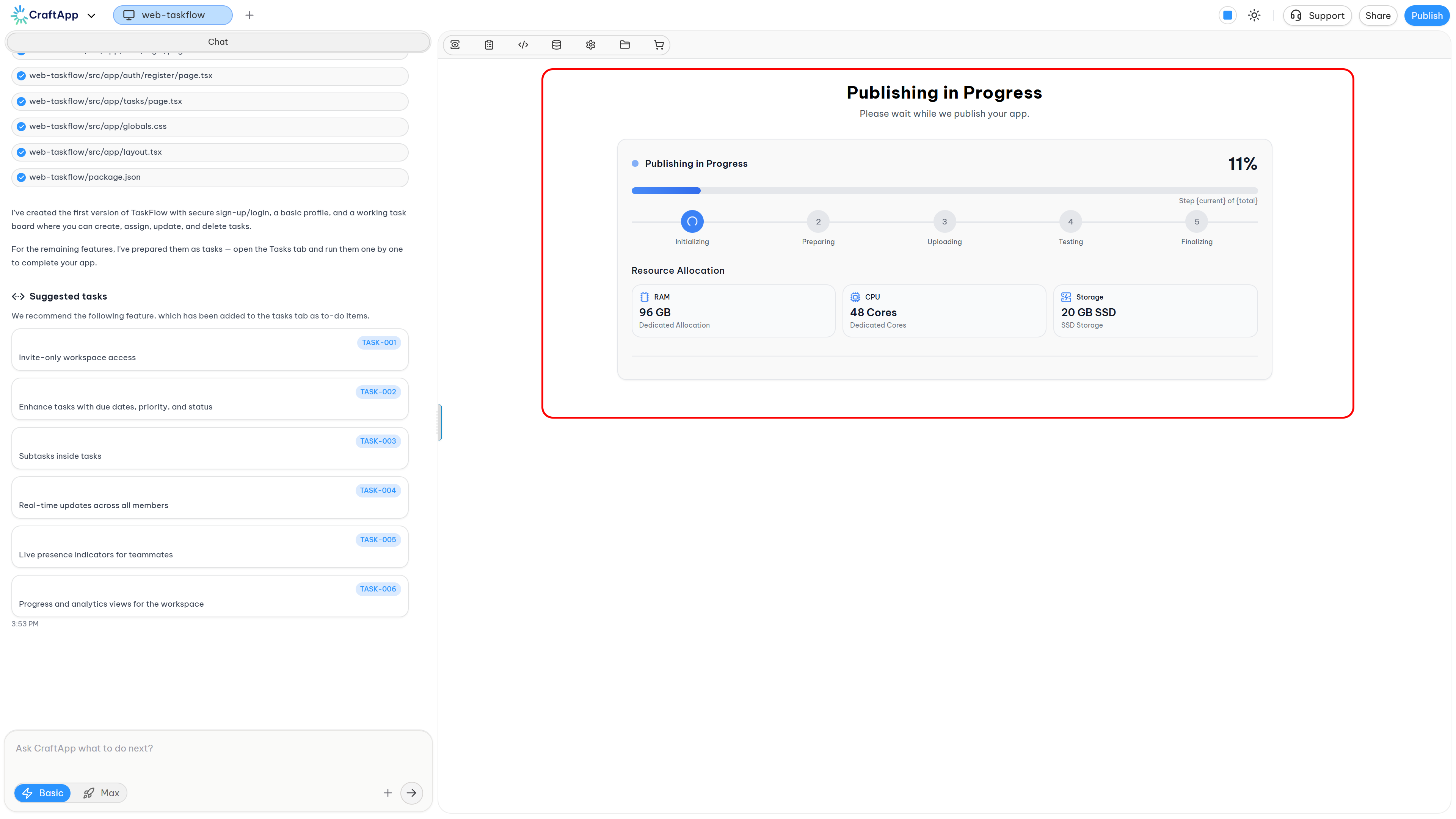
Once configuration is complete:
- Review all configuration settings.
- Verify the estimated monthly cost.
- Click Publish Now.
- Monitor the deployment progress via the progress bar.
- Deployment can be cancelled during the process.
Deployment Duration:
- Deployment time varies based on project complexity
- Simple projects: approximately 10 minutes
- Complex projects: up to 1 hour
Error Handling
If the project encounters issues during deployment:
- An AI Fix option will appear.
- Click the AI Fix button to allow Craftapp to resolve the issue.
- Once resolved, click Republish to restart deployment.
Pricing Model
The Pro Plan operates on a pay-per-use model:
- Hourly Rates: Applied to compute resources
- Storage Rates: Applied per GB per month
- Real-Time Calculations: Costs update as configuration changes
- No Hidden Fees: All costs displayed before deployment
Cost Components:
- Server instance (CPU + RAM) hourly rate
- Storage capacity monthly rate
- App Store publishing fees (for mobile deployments, if applicable)
Best Practices
Tip
Start with minimal resources and scale as your application grows. Configuration can be adjusted after deployment without downtime.
Resource Recommendations:
- Small Applications: Minimum server size with 20-50 GB storage
- Growing Applications: Medium server size with 50-100 GB storage
- Data-Intensive Applications: Larger server size with 100-200 GB storage
Cost Optimization:
- Monitor actual resource usage
- Adjust storage based on real needs
- Choose region closest to user base
- Review configuration periodically
Mobile Deployment Recommendations:
- Select only the platforms you intend to publish to initially
- Additional platforms can be added after initial deployment
- Both platforms can be selected simultaneously without additional configuration
Summary
The Pro Plan provides dedicated, customizable infrastructure for production applications. The configuration interface offers:
- 8 deployment regions across Europe and North America
- Multiple server size options with defined CPU and RAM specifications
- Configurable storage from 20 GB to 200 GB (extensible to 20 TB)
- App Store publishing platform selection for mobile applications
- Real-time cost calculation
- Transparent pricing breakdown
This pay-per-use model ensures payment only for configured resources, with flexibility to scale as application requirements evolve.