Profile Management
Manage your personal information, credentials, and account security from one place.
Your Profile page is where you control how your account is identified and secured across Craftapp.
Keeping this information up to date helps ensure account safety and smooth collaboration.
Accessing Your Profile
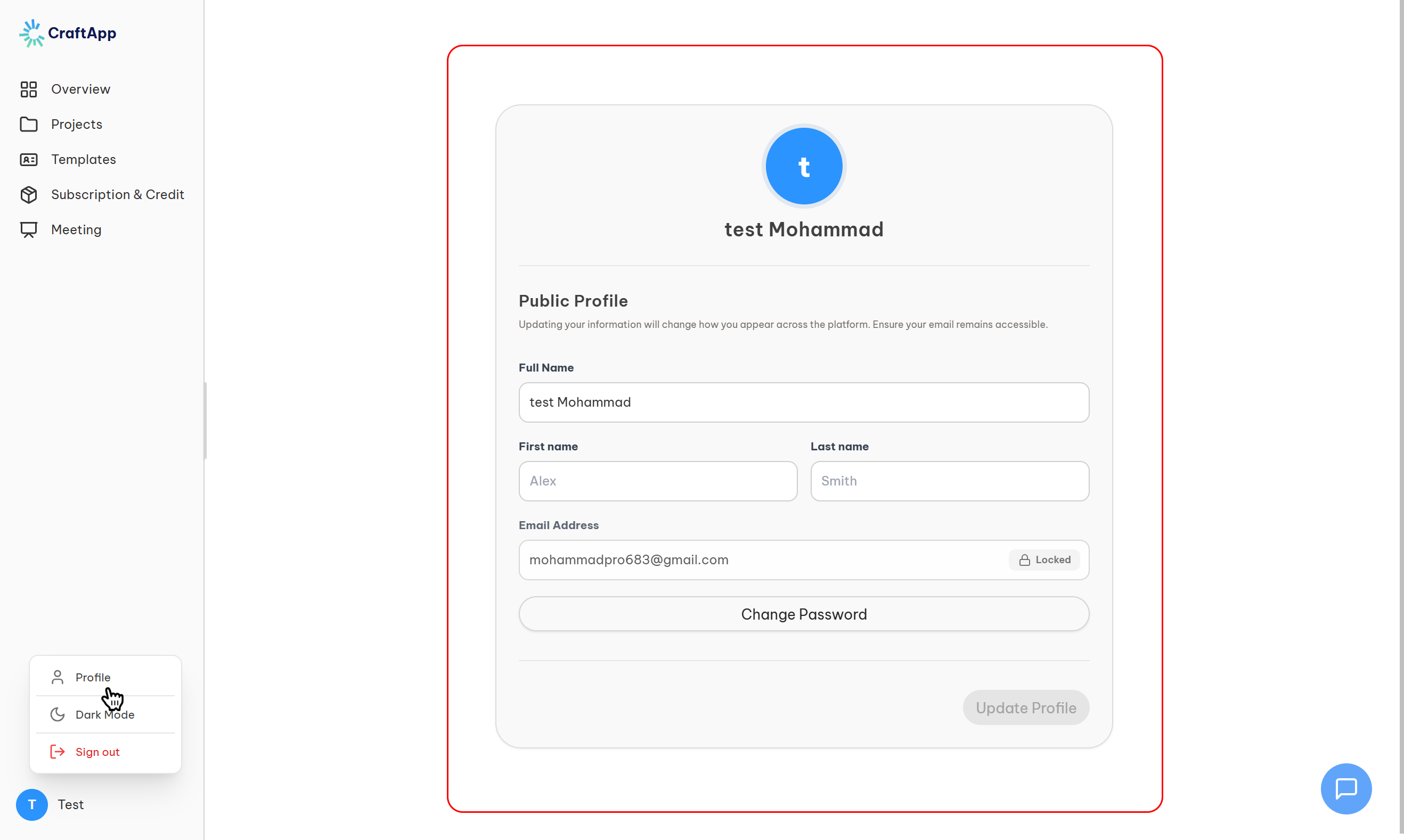
To open your profile settings:
- Go to the Dashboard
- Select Profile from the left sidebar
- Your personal details and security options will appear
Updating Personal Information
Change Your Name
You can update how your name appears across Craftapp:
- Edit the First Name and Last Name fields
- Click Save Changes to apply updates immediately
Note
Your email address cannot be changed directly, as it is used as a permanent account identifier. If you need to update your email, please contact Craftapp support.
Changing Your Password
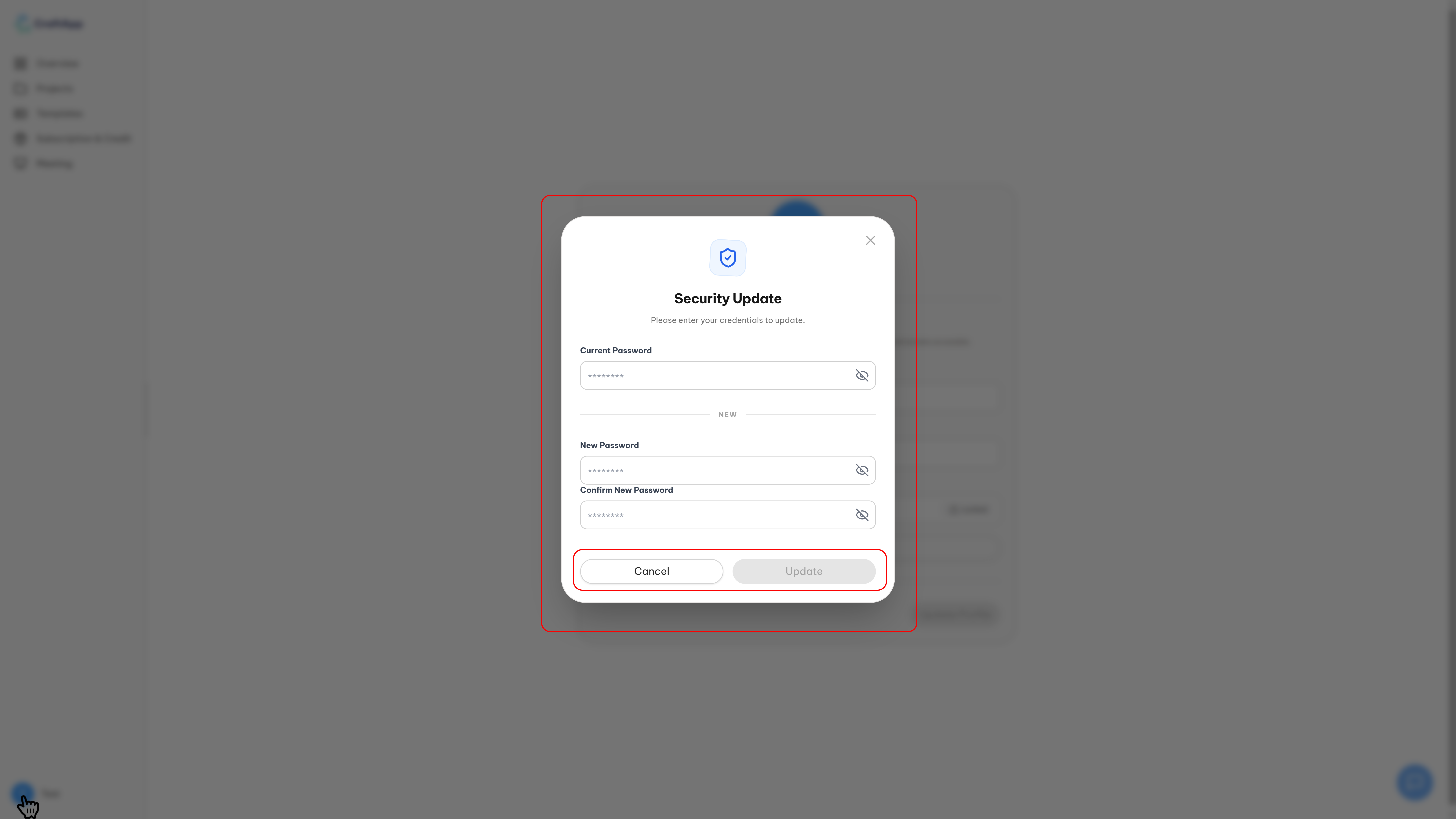
Keeping your password secure is critical for protecting your projects and data.
Password Update Flow
- Click Change Password
- A secure modal will appear
- Fill in the required fields
- Click Update to confirm
Required Fields
| Field | Description | Requirement |
|---|---|---|
| Current Password | Verifies your identity | Must match your existing password |
| New Password | Your new credential | Minimum 8 characters |
| Confirm Password | Validation step | Must match exactly |
Password Security Rules
Craftapp enforces strong security standards:
- Minimum 8 characters
- At least 1 uppercase letter
- At least 1 number or special character
- Cannot reuse your last 5 passwords
- Maximum 3 password changes per day
These safeguards help protect your account from unauthorized access.
Troubleshooting & FAQs
Why can’t I change my email address?
Email addresses act as permanent account identifiers.
For security and data integrity reasons, they can only be changed by support.
Password change failed — what should I check?
Make sure:
- Your current password is correct
- The new password meets all requirements
- The confirmation field matches exactly
I forgot my current password
Use the account recovery flow instead:
Security Best Practices
Tip
• Change your password every 90 days
• Use a password you don’t use anywhere else
• Log out on shared or public devices
• Enable additional security features when available
Summary
Your Profile page allows you to:
- Update personal display information
- Secure your account with strong passwords
- Maintain consistent identity across Craftapp
- Protect access to your projects and deployments
Keeping your profile up to date ensures a safer and smoother experience across the platform.