Turn Your Idea into Reality
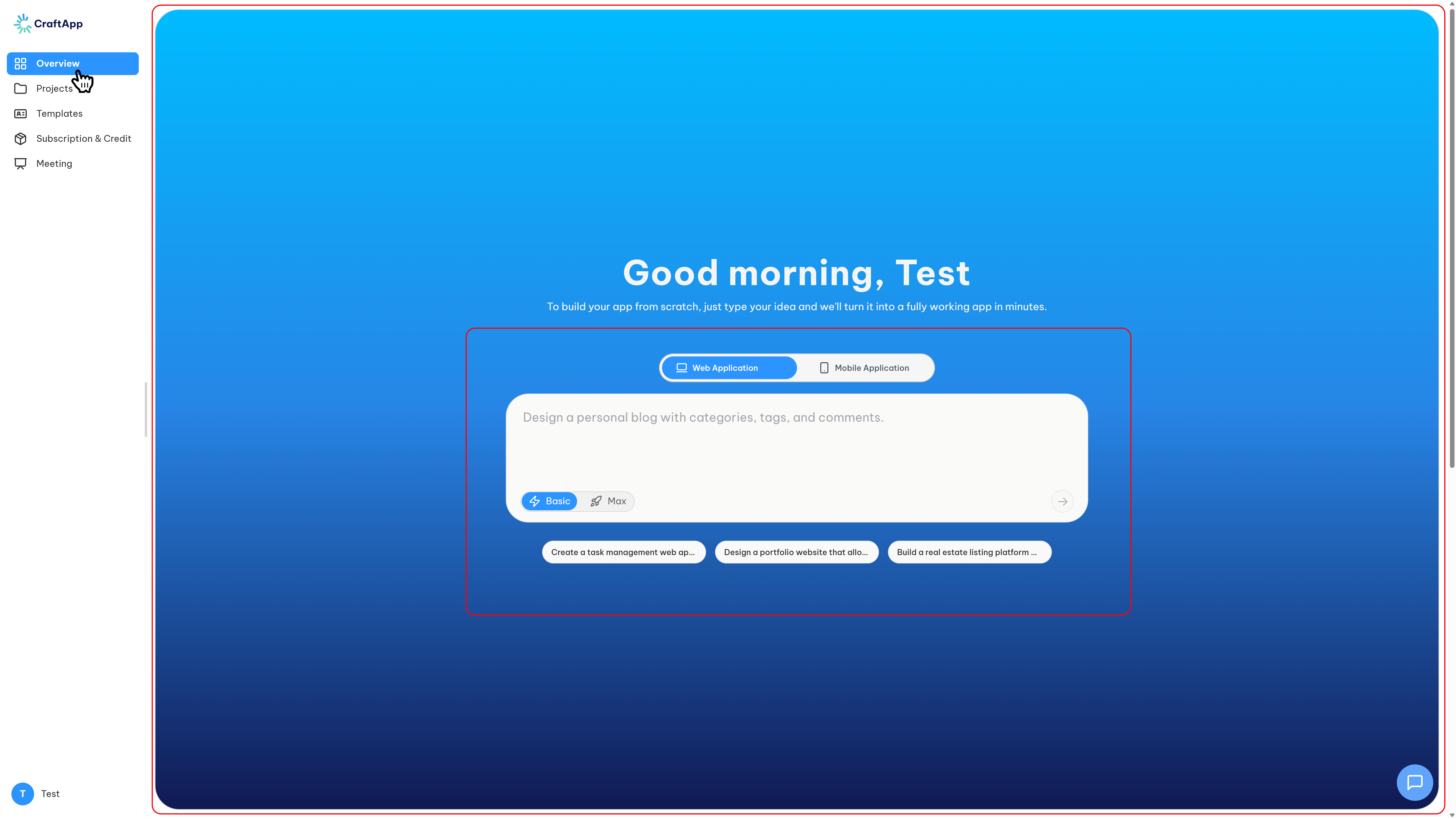
The New Project screen serves as the primary entry point for turning concepts into functional applications within Craftapp. It streamlines the ideation and setup process by allowing users to define their requirements in natural language. Once the idea is described, the AI orchestrates the technical foundation, eliminating the need for manual configuration.
Objective
This module enables users to:
- Conceptualize and articulate application requirements using conversational language.
- Define the target delivery channel: Web or Mobile.
- Select the preferred AI reasoning depth (Model Tier).
- Transition from a raw idea to a structured, generated project proposal.
This screen initiates the core Craftapp workflow:
Describe/Brainstorm → AI Generates Proposal → User Reviews & Confirms → Project is Scaffolded
Access Points
To support varying user workflows, the New Project interface can be initiated from three distinct locations within the Craftapp ecosystem:
- Public Landing Page: When visiting
Craftapp.ai, the initial home screen features the primary prompt box, allowing for instant ideation (pre or post-authentication). - Dashboard Overview: Upon logging in, the Dashboard Overview page provides a prominent prompt box at the top of the viewport for quick access.
- Projects Directory: Within the Projects page, selecting the New Project button routes the user directly to this interface.
This multi-access approach ensures that project creation is always immediately available, regardless of the user’s current navigation context.
Core Functionalities & Options
Platform Selection (Web vs. Mobile)
Users define the intended environment for the application. The selection toggle is located directly above the prompt input box.
- Web Application: Optimized for browser-based platforms, dashboards, and complex screen layouts.
- Mobile Application: Optimized for native iOS/Android experiences, touch interactions, and mobile-specific hardware integrations.
Dynamic Behavior:
- Auto-Detection: If the user leaves the toggle in its default state and specifies the platform within the prompt (e.g., "Create a mobile stopwatch app"), Craftapp’s AI automatically detects the intent and initializes the project as a Mobile application.
- Real-time Migration: The platform selection is not static. If the user finalizes a proposal and later decides to switch targets (e.g., from Web to Mobile), they simply instruct the AI directly (e.g., "I want this to be a mobile app instead"). The system adapts the proposal and architecture dynamically without losing the existing configuration or requiring a hard reset.
Conversational Prompt & Brainstorming
The central input area functions as a high-level conversational interface. This is the primary space for "talking to the system."
Users are encouraged to provide details regarding:
- Core functionality and user stories.
- Target audience demographics.
- Specific technical requirements or constraints.
The AI serves as a brainstorming partner. The more context provided, the more accurate the subsequent proposal and system architecture will be.
AI Model Selector
Users can define the computational rigor applied to the generation of their project:
- Basic: Fast generation focusing on core functionality and standard design patterns.
- Max: High-depth reasoning. The AI engages in more complex problem-solving, generates more advanced feature sets, and produces more robust code architecture.
This setting directly controls the balance between generation speed and the complexity of the output.
Generation & Handoff
Once the prompt is submitted, Craftapp processes the requirements.
The system performs the following operations:
- Analyzes the linguistic input for intent and context.
- Structures the requirements into a formalized specification.
- Generates a Proposal outlining the proposed solution.
Next Step: The user is subsequently redirected to the Project Proposal screen, where they can review the AI’s interpretation, adjust features, and confirm the final build parameters.