Publish Templates
Transform your Craftapp projects into reusable, discoverable, and sellable templates on the Marketplace.
The Craftapp Marketplace allows you to share your work with the community or monetize high-quality templates.
Any project built in Craftapp Studio can be published once it’s polished and production-ready.
Your starting point: Builder Studio
Every template begins as a project inside Craftapp Studio.
In the Studio, you can refine your application using all available tools:
- AI Assistant — generate features, improve UX, and iterate faster
- Visual Editor — design layouts, colors, typography, and interactions
- Component System — drag, drop, and reuse UI components
- Code Editor — fine-tune logic and structure when needed
Your goal is to turn a working project into a clean, reusable solution others can easily adapt.
Image placeholder: Builder Studio overview
Add your project to the Marketplace
When your project is ready, click Add to Market in the top-right corner of the Studio.
This opens the Template Publishing Form, where you define how your template appears to users.
Required publishing details
| Field | Description | Best practices |
|---|---|---|
| Template Name | Public title of your template | Short, clear, descriptive |
| Category | Template type | Choose the most relevant category |
| Description | What the template does | Focus on value and use cases |
| Cover Image | Main preview image | Clean UI, no clutter |
| Pricing | Free or Paid (USD) | Competitive, transparent |
| Technologies | Frameworks & tools | e.g. Next.js, FastAPI |
| Key Features | Highlights | Bullet points work best |
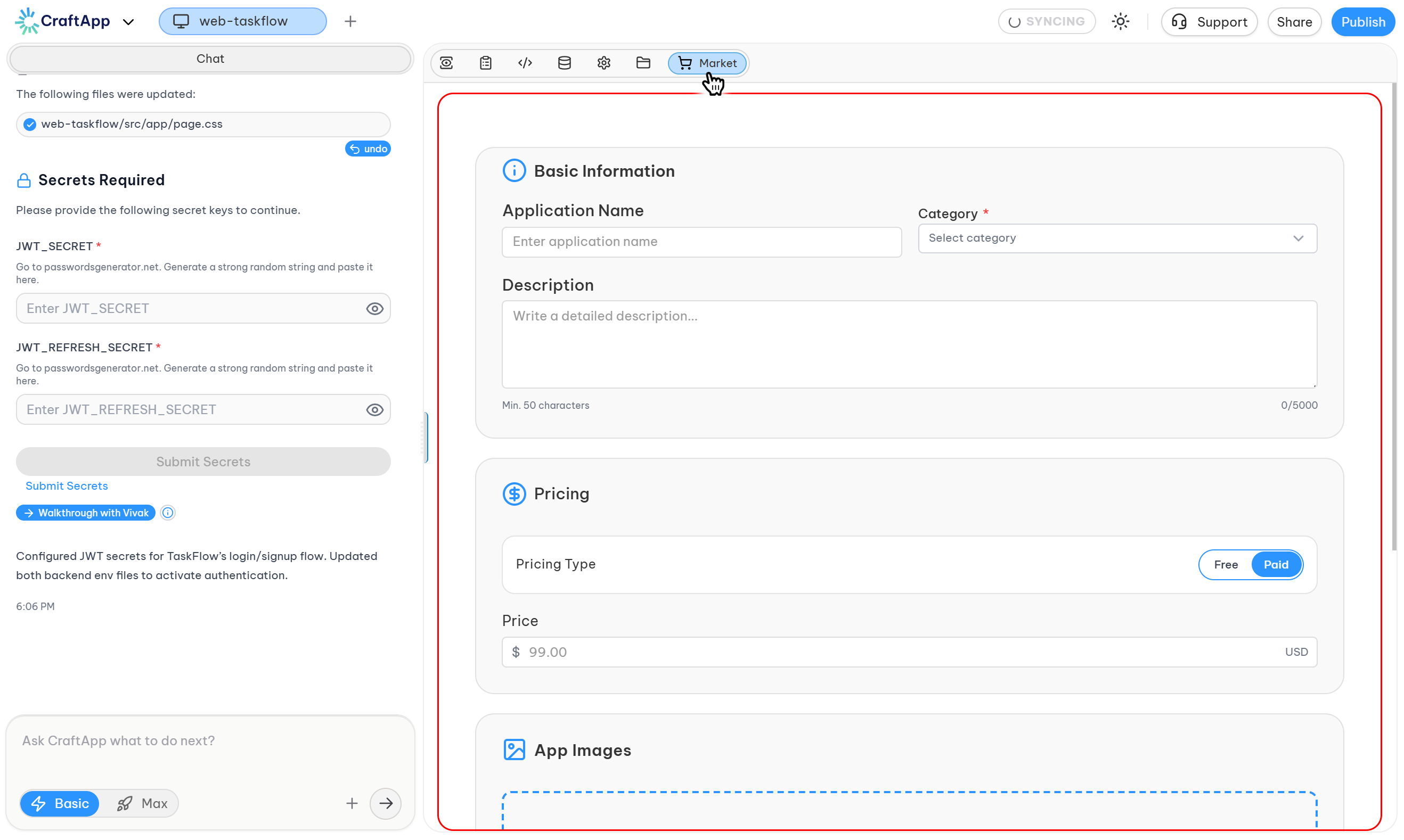
Image placeholder: Publish Template form
Tip
Well-written descriptions and clear visuals significantly increase template adoption and sales.
Review & publication process
After submitting your template:
- Craftapp performs a quality and safety review
- The review usually completes within 24 hours
- Once approved, your template appears publicly in the Marketplace
Note
Templates must meet basic quality, usability, and security standards before approval.
Image placeholder: Marketplace listing
Managing published templates
All your templates are accessible from:
Dashboard → Templates
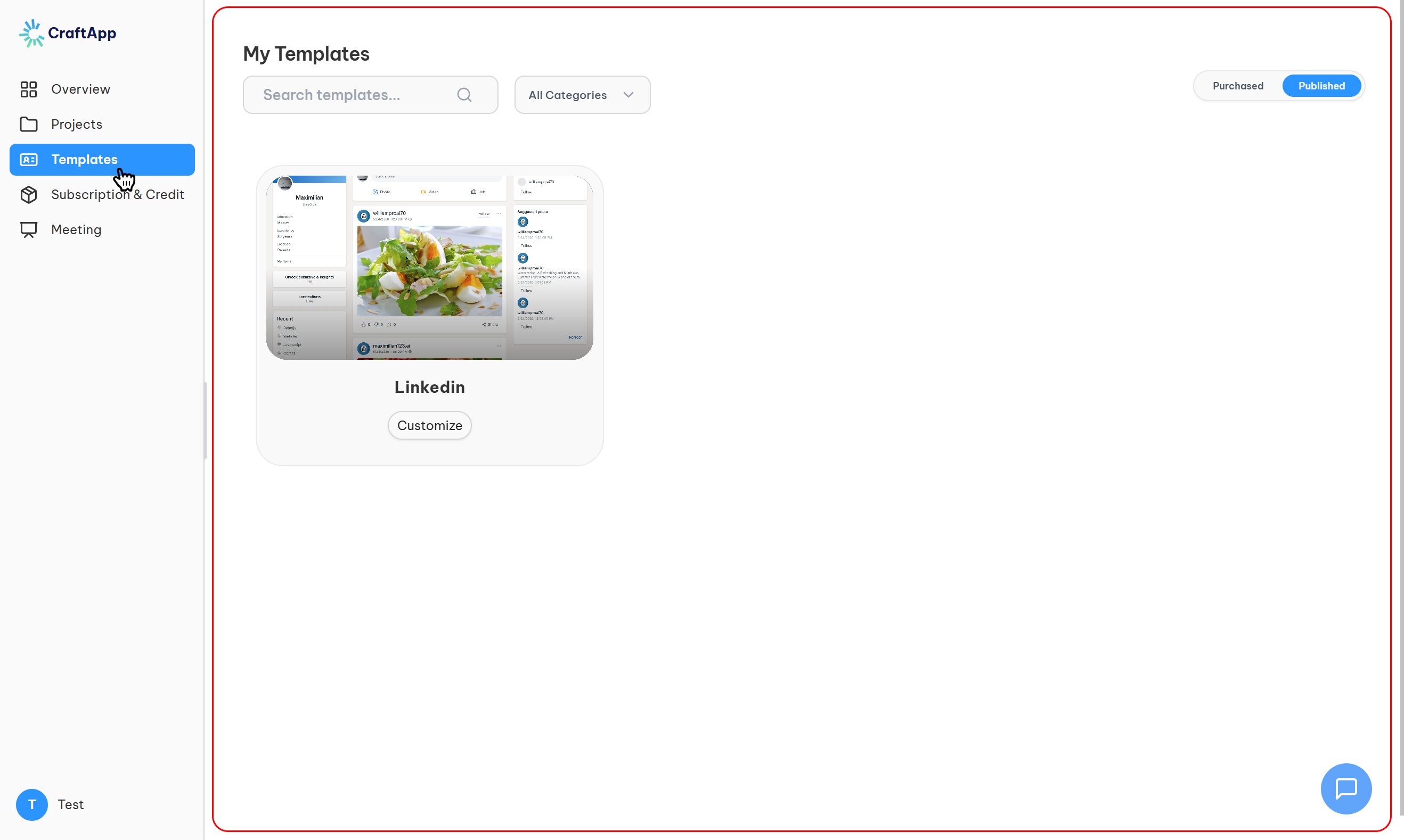
From this page, you can:
- Edit template details (name, description, price)
- Preview how buyers see your template
- Update & republish improved versions
- Track ownership and publishing status
Image placeholder: Dashboard → Templates
Note
Updating a template does not affect existing users’ ownership. New buyers receive the latest version.
What buyers receive
When users acquire your template, they get:
- Full project ownership
- Complete source code
- Editable UI and logic
- Database schema (if included)
- Deployment-ready configuration
Templates are real applications, not static designs.
Checklist before publishing
Before clicking Publish, make sure you’ve:
- Verified the app works end-to-end
- Cleaned up UI and layout
- Written a clear, honest description
- Added a high-quality preview image
- Listed accurate technologies and features
Why publish on Craftapp Marketplace?
- Reach a growing community of builders
- Monetize your work with paid templates
- Share reusable solutions
- Help others launch faster
- Build a portfolio of real products
Next steps
- Explore existing templates → Marketplace
- Publish your project → Add to Market
- Manage listings → Dashboard → Templates
Craftapp Marketplace is continuously evolving with new features for creators and buyers.